Akai doesn’t ask to be learned before it’s useful: you open it and it gives you one thing. This guide is for later: what to ask Kai, and how far it can go in your place.
LESSON 1 · 2 MIN
The three places
The app has three places, and that’s it. Bottom left, Now and Journey; bottom right, always, Kai’s face.
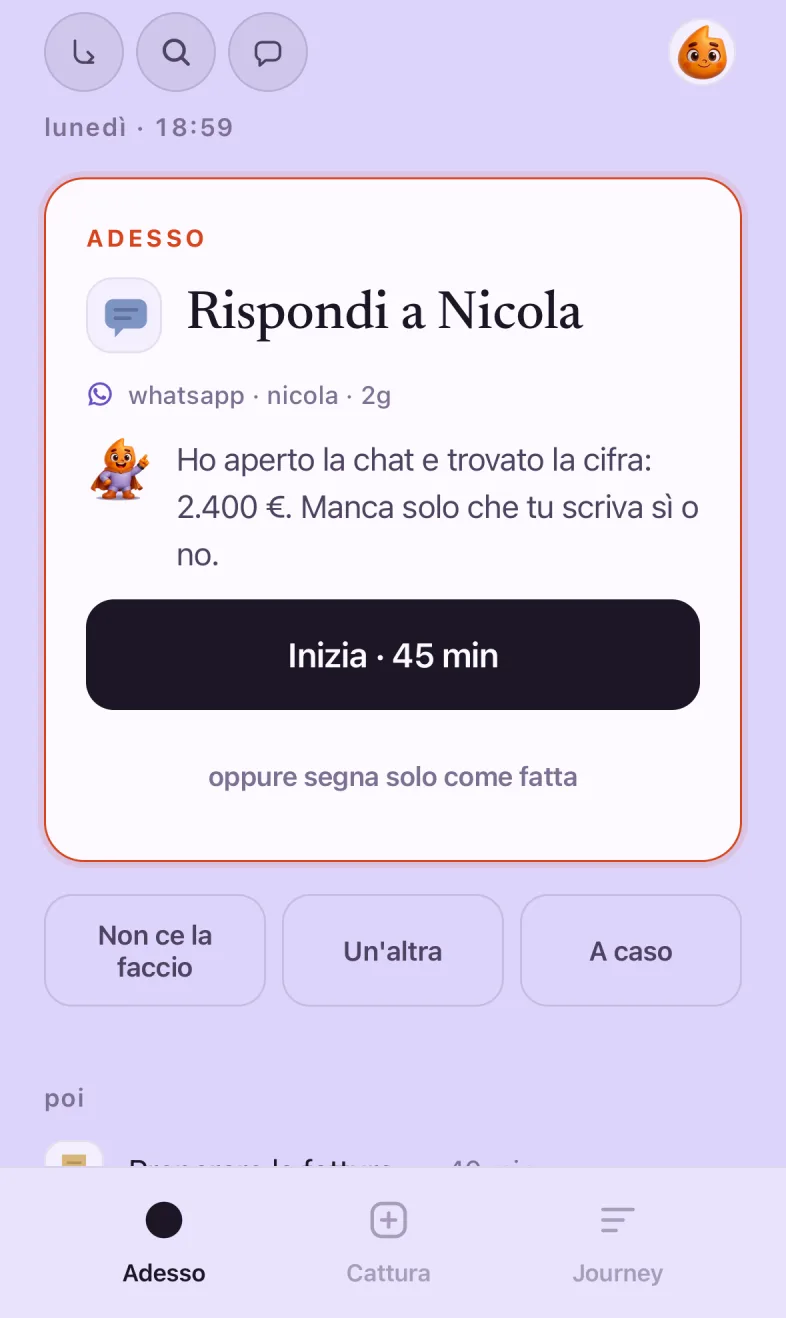
Now. One thing only, with the time it needs and what comes next.
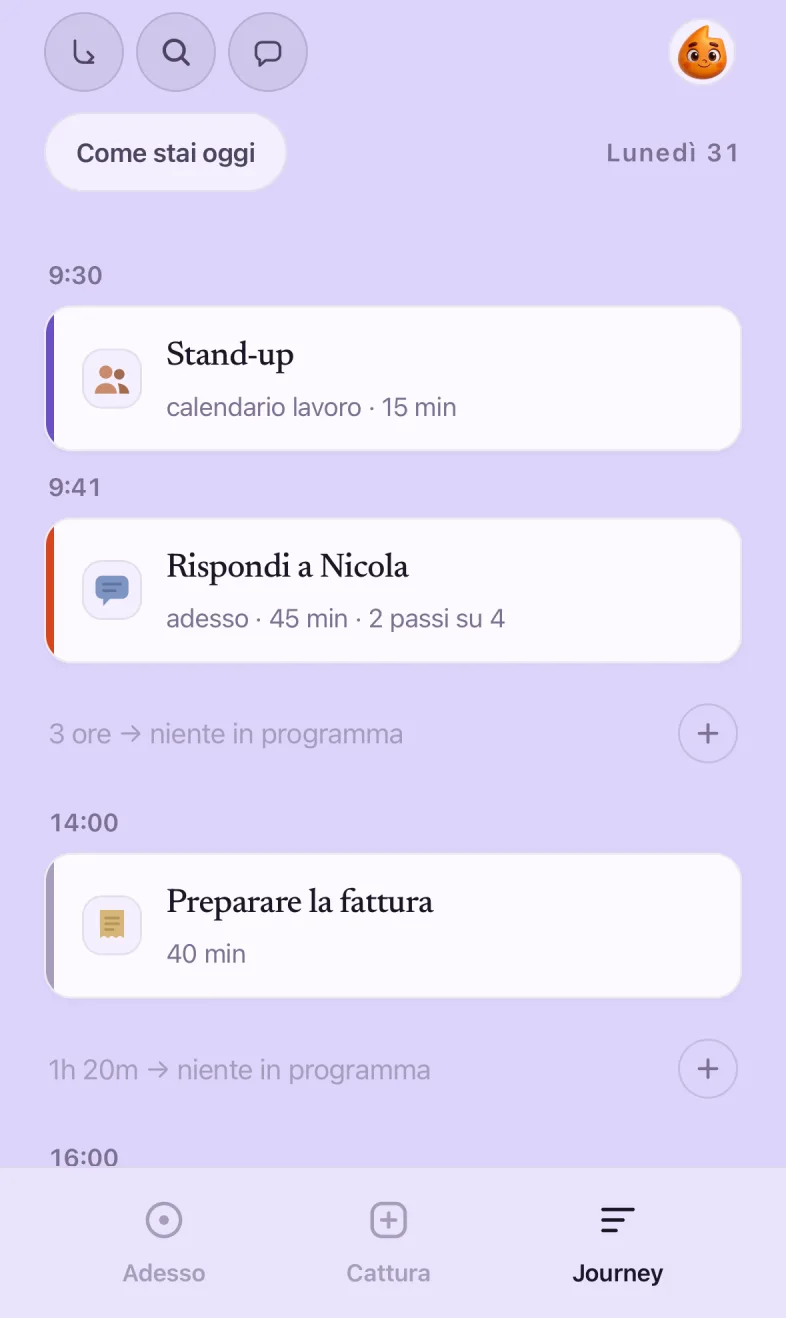
Journey. The day hour by hour, with the free gaps spelled out.
Kai. Ask, get things written, get things organized.
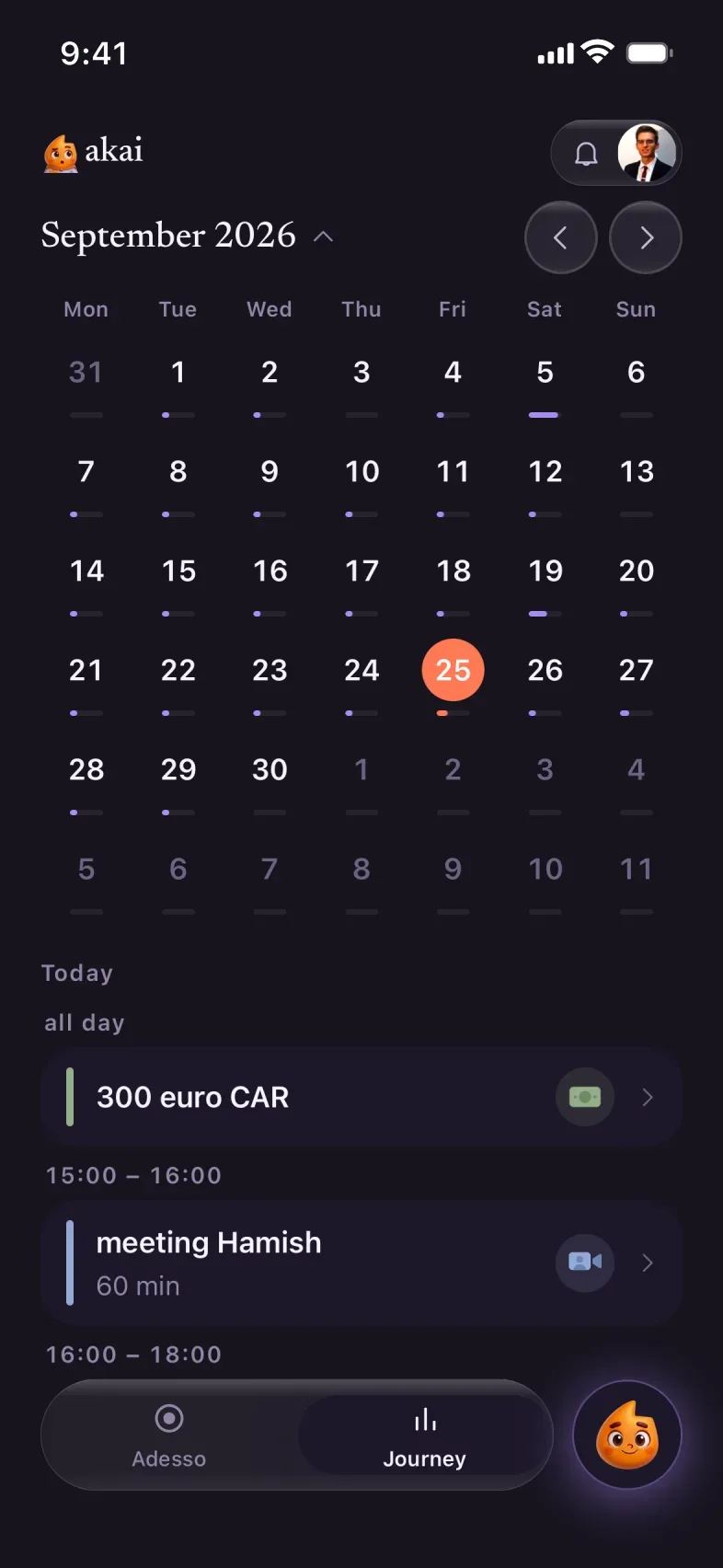
Tap the month at the top of Journey and the whole calendar opens: the little lines under each day tell you how full it is, without opening anything.
LESSON 2 · 1 MIN
When you can’t
Under the thing in front of you there are three buttons. All three are right answers.
StartThe timer starts. When you finish, “done,” and Kai moves on to the next one.
I can’tThe thing goes back with the others, no red marks and no tallies. You haven’t lost anything.
Another oneNot the moment for this one. Kai suggests a different one, fitted to the time you have.
LESSON 3 · 2 MIN
How to ask Kai
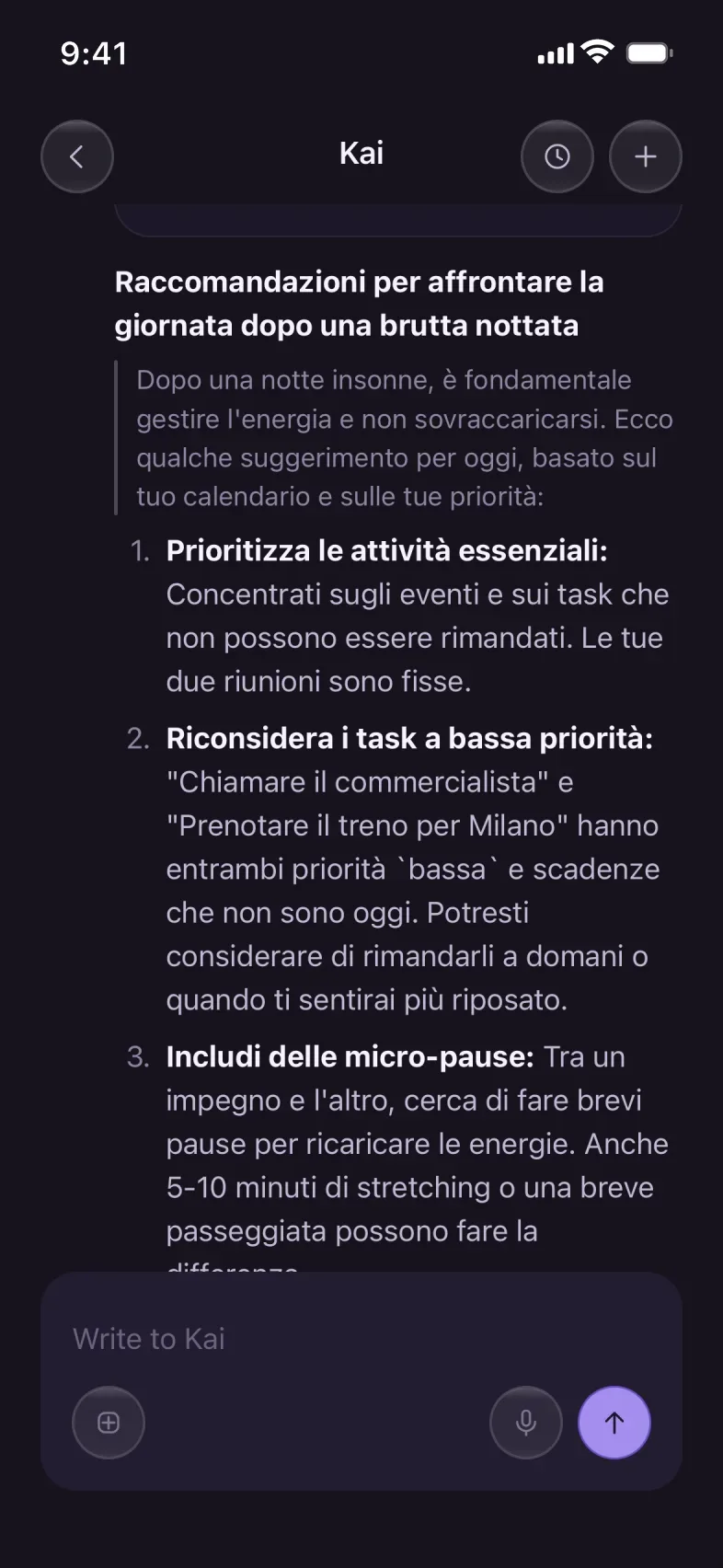
Talk to Kai the way you’d talk to someone who knows your week: with context, not commands. “I slept badly” works better than “reorganize my day.”
Your day
“What’s on tomorrow?”“I slept badly, what should I do today?”“I have two free hours: what do I put in them?”“Move everything that isn’t urgent to Monday”
Writing
“Help me write an email”“Reply to this email saying no, kindly”“Sum up what I need to do from this message”
Organizing
“I need to go to Zurich for two days, which days do you suggest?”“Break “study for the exam” into one-hour pieces”“How much time did I spend in meetings this month?”
Doing
“Check flights and hotels”“Set up drinks on Friday and invite the team”“Book a haircut before Saturday”
The question with context: Kai starts from today’s calendar.
And it answers with what to move, not with a list of generic tips.
LESSON 4 · 2 MIN
Reading your time
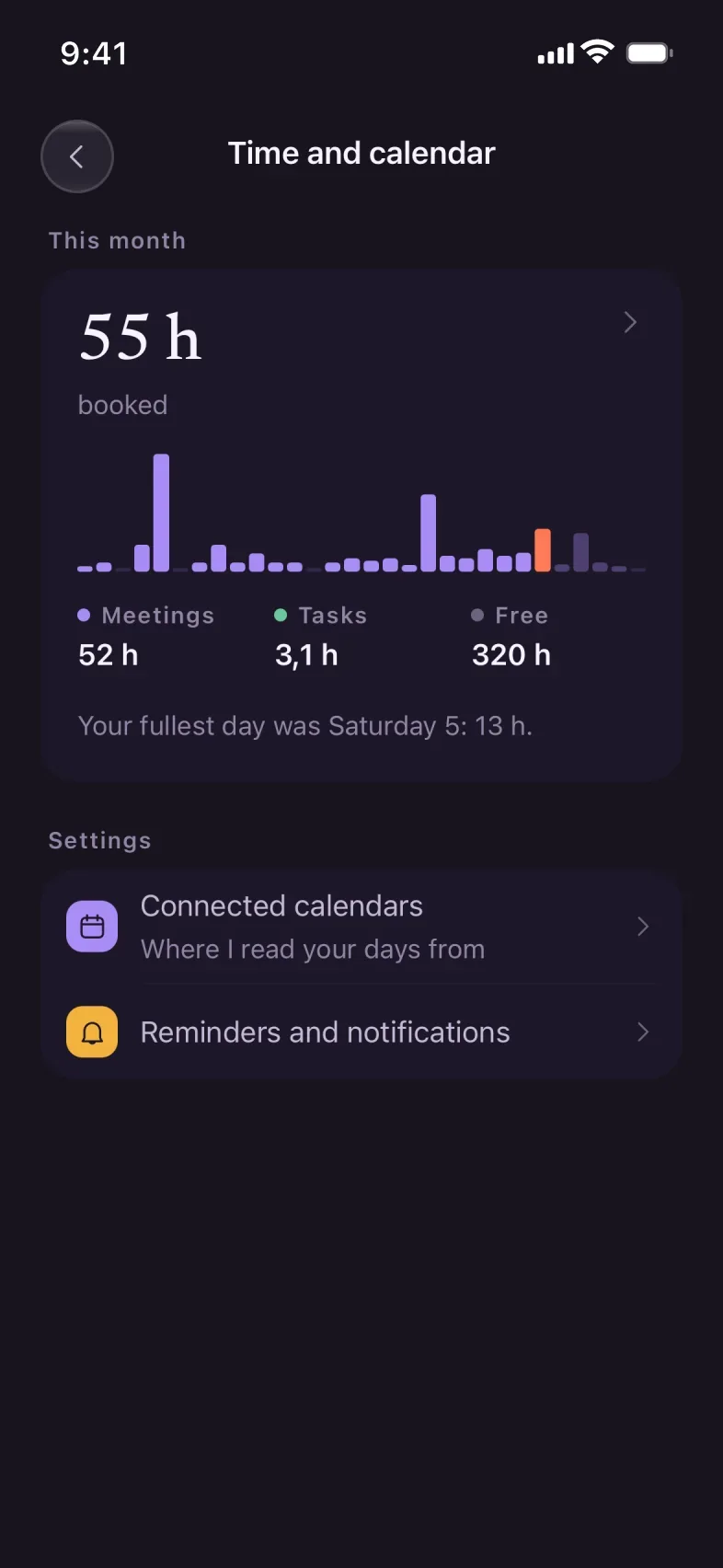
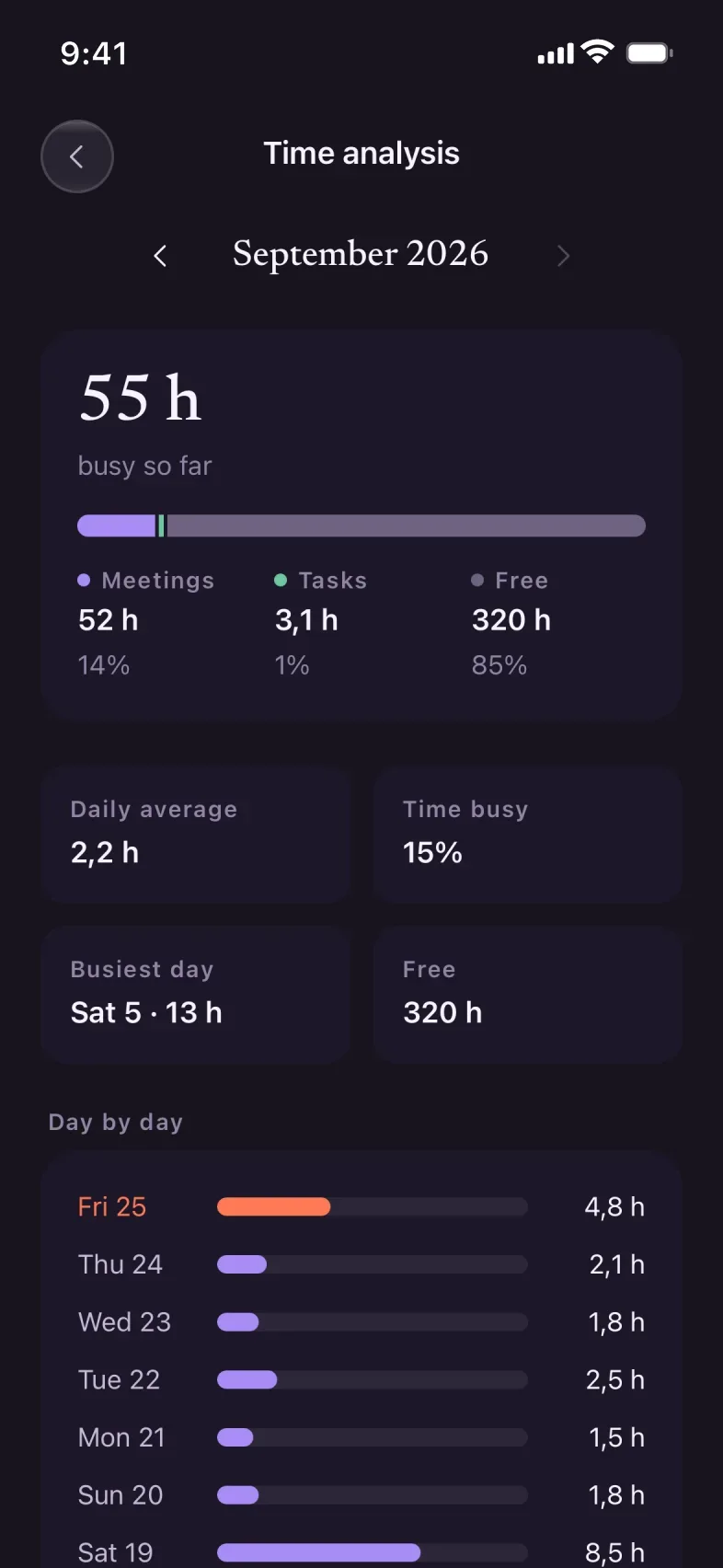
From your profile, Time and calendar: the hours of the month split into three colors. Purple for meetings, green for your own things, gray for free time. Orange is today.
The month, one bar per day.
Day by day, with the average and the busiest day.
There’s no goal to hit. It’s there for you to notice that Tuesdays are always full, and for Kai not to add anything else to them.
LESSON 5 · 1 MIN
Connecting calendars
Profile → Connected calendars: Google, Outlook, iCloud. Kai reads your days from there and writes what it books there. You can disconnect whenever you want, from the same place.
The month, with connected calendars.
LESSON 6 · 2 MIN
Delegating
Delegating to Kai has four steps: it tells you, prepares, books, sends a person. It always tries the lightest one, and before spending anything it asks you.
“Check flights and hotels”: the real options, with times and prices.